
Now on the Shopify App Store
Every sale, the second it happens.
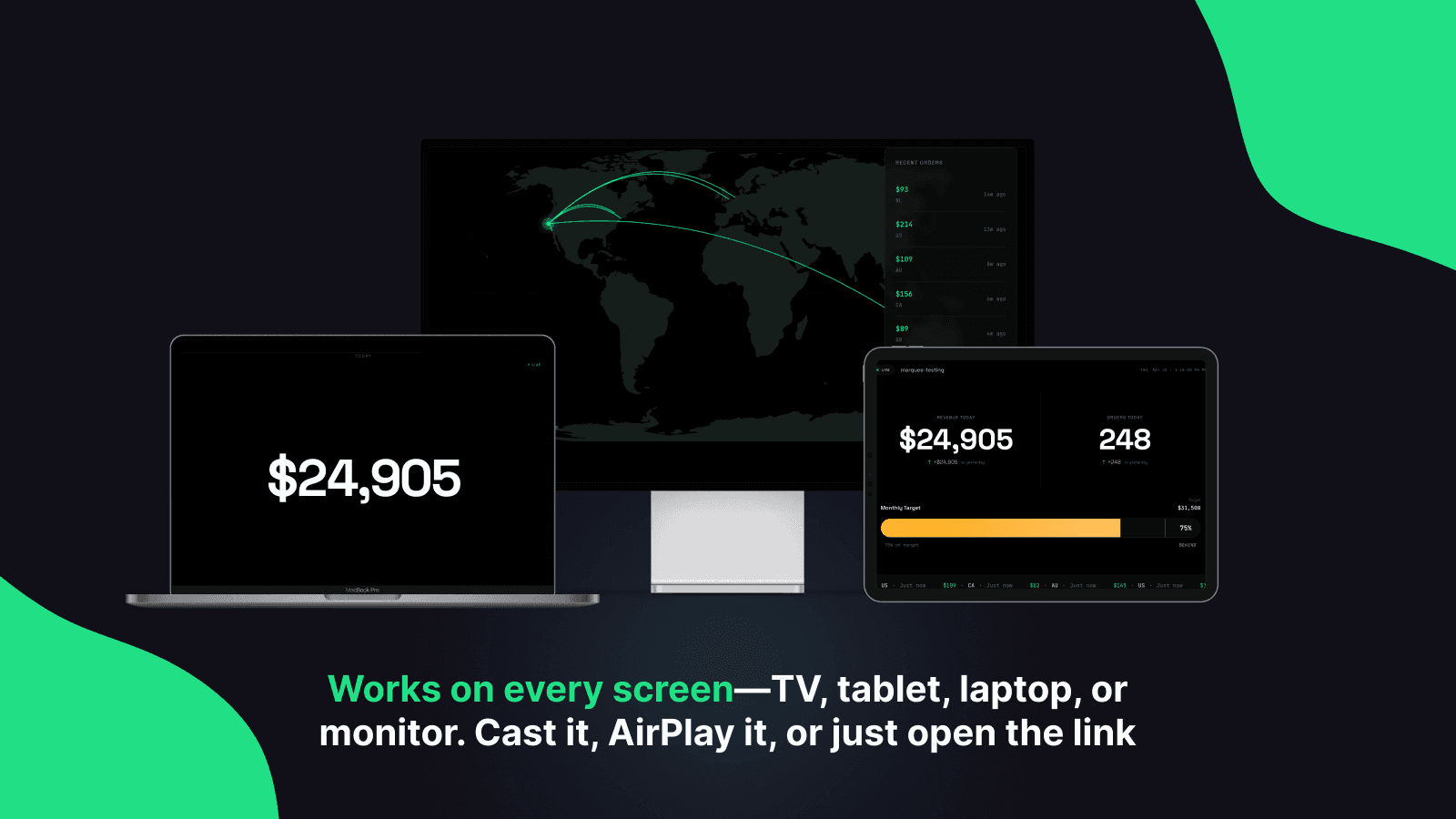
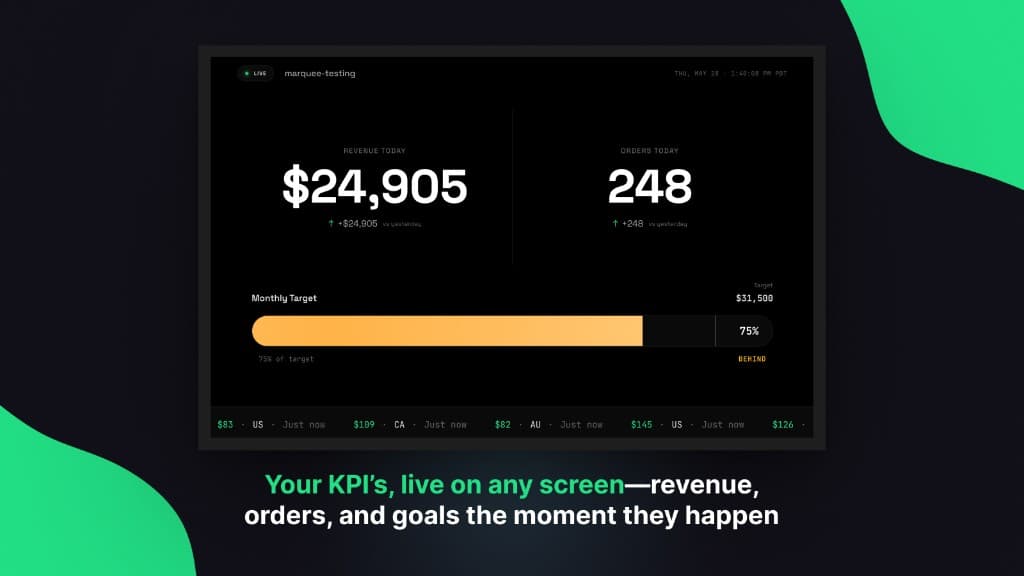
Open one URL on a TV, tablet, or browser. Orders, revenue, and goal progress update live. No app, no login, no setup on the screen.
Free up to 100 orders a month. Paid plans start at $9.
Running in about two minutes
- 01
Install from the Shopify App Store
Marquee reads your orders. That's the only permission it asks for.
- 02
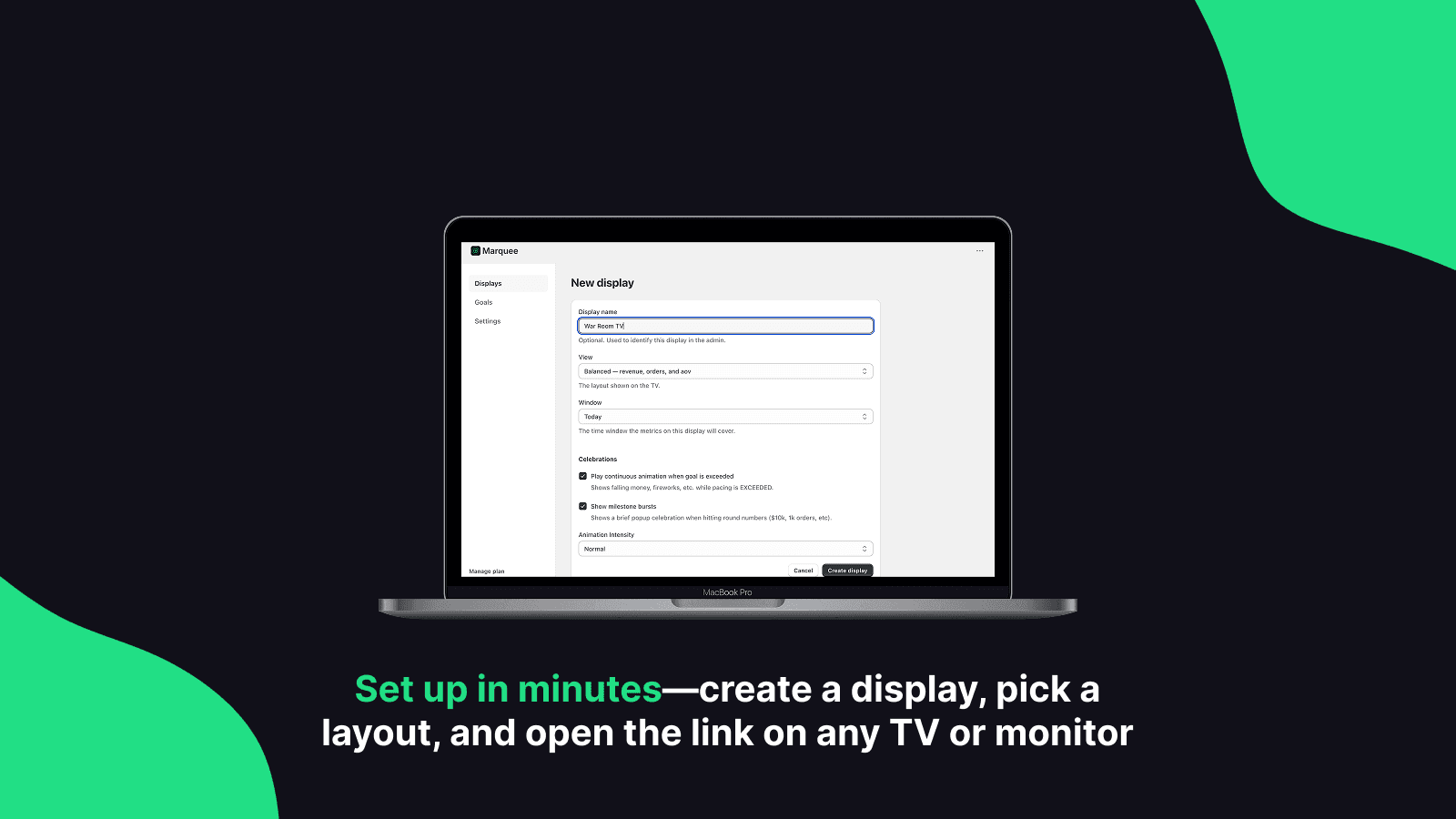
Create a display
Pick a layout and what it shows: today, this week, the month. You get a link.
- 03
Open the link on your screen
Cast, AirPlay, or type it into the TV's browser. Leave it running.
No hardware, no app on the screen, and nobody has to log in.
Three ways to show it
Balanced
Revenue, orders, and goal progress together.
The default. Today's revenue and order count, a live ticker of what's just come in, and a progress bar against your goal. The one most rooms want.
Hero
One number, very large.
Revenue and nothing else, sized to be read from across the warehouse. For when the only question is how today is going.
Globe
Watch orders land around the world.
A rotating globe with an arc drawn from every order's destination back to your store. Better than it sounds, and the one visitors stop and look at.
Set a number. Watch the room chase it.
Set a daily, weekly, monthly, or yearly target and Marquee draws the progress bar. Set business hours so the pace calculation knows when your day actually starts.
Live means live
Orders appear on screen the moment Shopify records them, not on a five-minute poll or a page-load refresh. The number moves while you're looking at it.
The screen reacts
When you hit a goal or a milestone lands, the display celebrates. Tune the intensity to quiet, normal, or wild, depending on whether it's an office or a warehouse.
A URL, not an app
Smart TV browser, Chromecast, AirPlay, an old laptop plugged into a monitor, a tablet on the shelf. If it opens a web page, it runs Marquee.
Priced on how much you sell
Move the slider to your monthly order volume.
Up to 100 orders a month
You'd be on Free, $0/month
Free
Try it on a screen and see if the room looks up.
- 1 display
- Up to 100 orders / 30 days
- 7-day history
- Windows: Today, This week, Last 7 days
Nothing breaks if you go over. Your displays keep running and every order still counts. We'll show a note in the app suggesting the next plan up.
All paid plans include a 14-day free trial. Free has no trial and needs no card.
Questions
Do I need to install anything on the TV?+
No. Marquee is a web page. Cast it, AirPlay it, or open the link in the TV's browser.
Does it work on a smart TV?+
If the TV has a browser, yes. If it doesn't, plug in a Chromecast, an Apple TV, a Fire Stick, or any laptop.
Can anyone with the link see my sales?+
The display link is unlisted and hard to guess, which is what makes it work on a screen with no login. Treat it like an internal link. Fine for the office, don't post it publicly.
What data does Marquee access?+
Orders, and only orders. It asks for a single permission (read_orders) and can't modify anything in your store.
Can I run more than one screen?+
Yes, depending on your plan, from one display on Free up to twenty-five on Enterprise. Each has its own layout and time window.
What time zone does it use?+
Your store's. "Today" resets at midnight where your business is, not UTC.
Will it slow down my store?+
No. Marquee runs entirely outside your storefront. Nothing is added to your theme and nothing loads for your customers.
What happens if I go over my order limit?+
Nothing breaks. Your displays keep running and every order still counts. We'll show a note in the app suggesting the next plan up. We're not going to blank your screen because you had a good month.
Do I need a credit card for the free plan?+
No.
Is the trial really free?+
Yes. Fourteen days on any paid plan, cancelled through Shopify like any other app.
Start free, see if the room looks up
Install from the Shopify App Store, create a display, and open the link on whatever screen is closest. Free up to 100 orders a month.
